
What Is CSS (Cascading Style Sheets)?
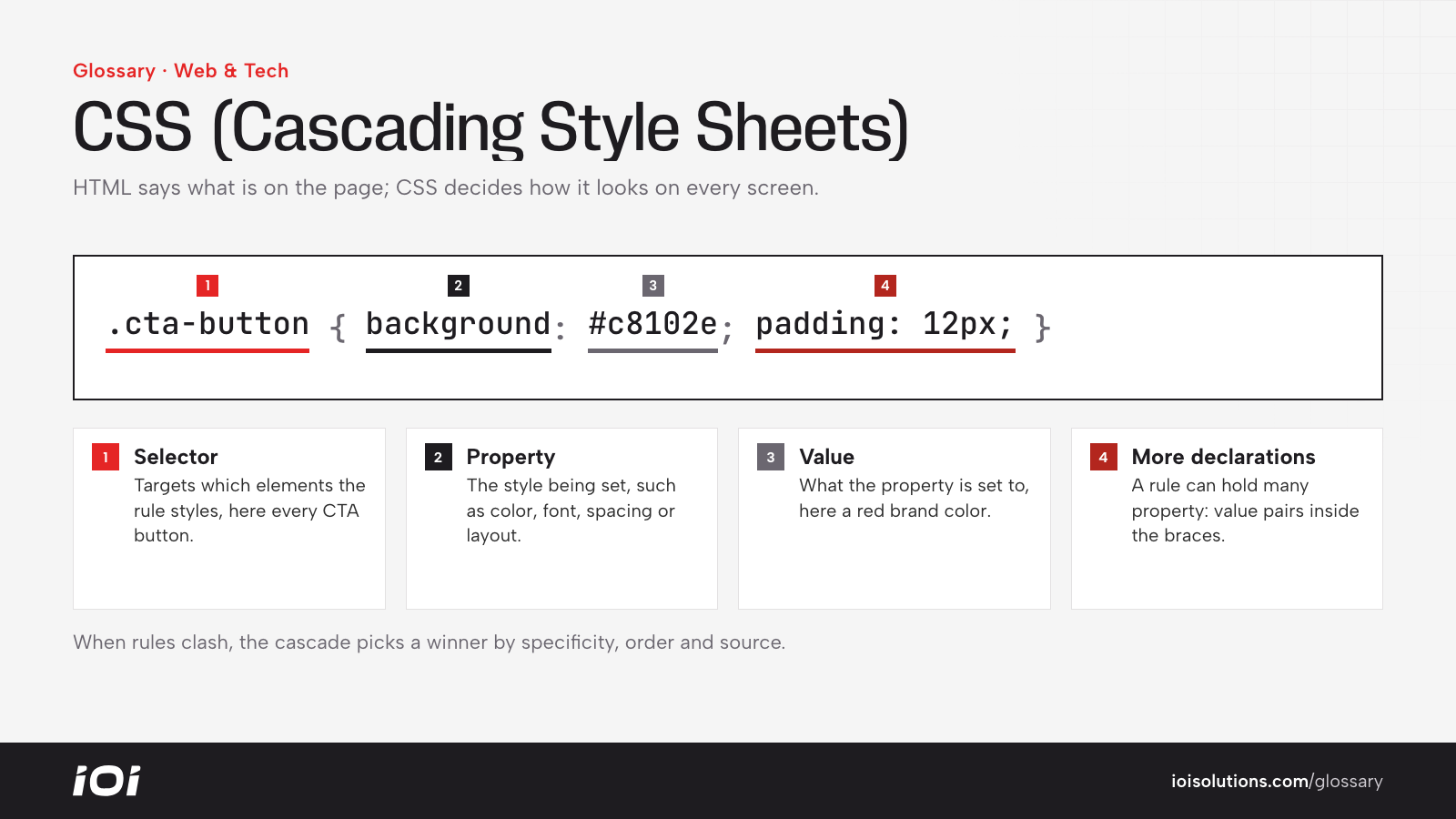
CSS, short for Cascading Style Sheets, is the styling language of the web. If HTML defines what is on a page, such as headings, paragraphs, images and buttons, CSS defines how all of it looks: colors, fonts, spacing, layout, borders and animations. Browsers read both and combine them to render the page you see.
The “cascading” part refers to how browsers decide which style wins when several rules apply to the same element. Rules are weighed by specificity, the order they appear and their source, so a targeted rule for one button can override a general rule for all buttons.
Why CSS Matters
CSS is not just a developer concern. It shapes how visitors experience your brand and whether they convert.
- Brand consistency. A shared stylesheet keeps fonts, colors and buttons uniform across every page.
- Mobile usability. CSS media queries power responsive design, rearranging layouts for phones, tablets and desktops.
- Speed. Bloated or render-blocking stylesheets slow page loads, which hurts both rankings and conversions.
- Conversion design. Button contrast, spacing and visual hierarchy all come from CSS and influence where attention goes.
- Maintainability. Separating style from content means you can redesign without rewriting every page.
How CSS Works
A CSS rule has two parts: a selector that targets elements and a set of declarations that describe their style. For example, a rule might target all elements with the class “cta-button” and set a background color, padding and font weight.
CSS can be applied three ways:
- External stylesheets, separate .css files linked from the page. This is the standard approach because one file can style an entire site and be cached by the browser.
- Internal styles placed in a style block within the page’s head.
- Inline styles written directly on an element. These are hard to maintain and are best kept to a minimum.
Modern CSS includes layout systems such as Flexbox and Grid, custom properties (variables) for consistent theming, and media queries that apply different styles at different screen widths. Many sites also use frameworks or utility libraries to speed up development, and content platforms such as a content management system or ecommerce theme apply their own stylesheets that you customize.
CSS in Automotive Marketing
Most automotive businesses never write CSS by hand, but it affects their results every day. Dealer website platforms, Shopify themes for parts brands and WordPress builds for repair shops all depend on CSS to display inventory, pricing and calls to action.
For example, a dealership’s vehicle detail page might bury the “Check Availability” button below a long photo gallery on mobile. A small CSS change to make the button sticky at the bottom of the screen can keep the primary action visible without redesigning the page.
A body shop site might load several large, unused stylesheets from old plugins, slowing every page. Removing unused CSS and inlining the small amount needed for the top of the page can improve load times, which matters for urgent mobile searches after an accident.
Parts and accessories stores often customize theme CSS to make fitment selectors, stock badges and shipping messages stand out, reducing uncertainty at the moment of purchase.
Best Practices
- Use external stylesheets. Keep styles in shared files rather than scattered inline rules.
- Design mobile first. Start with phone layouts and add complexity for larger screens.
- Remove unused CSS. Audit plugins and themes for styles that load but never apply.
- Prioritize critical styles. Load what is needed for the first screen quickly and defer the rest.
- Ensure accessible contrast. Text and buttons should be readable for everyone, including in bright sunlight on a phone.
- Test across devices and browsers. Check key pages on real phones before launching campaigns that send traffic to them.