
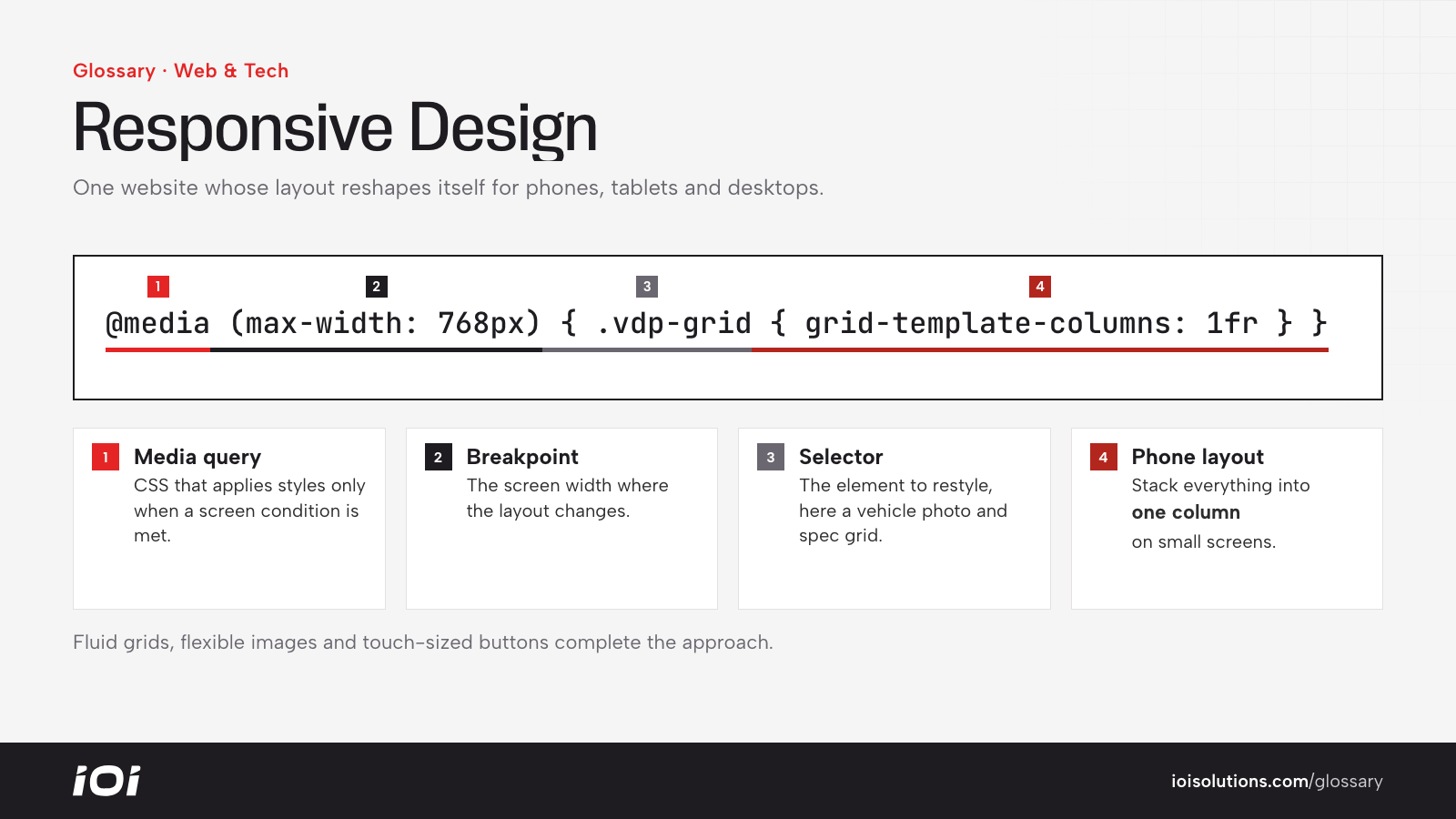
What Is Responsive Design?
Responsive design is a way of building websites so that one set of pages adjusts automatically to the device viewing it. On a large monitor, a page might show three columns side by side; on a tablet, two; on a phone, a single stacked column with larger buttons. The content and URL stay the same, but the layout responds to the available space.
This replaced older approaches where businesses maintained a separate mobile site (often on an “m.” subdomain). A responsive site is easier to manage, avoids duplicate content issues and gives every visitor a consistent experience.
Why Responsive Design Matters
A large share of web traffic, and an even larger share of local searches, happens on phones. If a page is hard to read or use on a small screen, visitors leave.
- Conversions: Forms, buttons and phone numbers that work well on mobile directly affect your conversion rate.
- SEO: Google uses mobile-first indexing, meaning it primarily evaluates the mobile version of your pages.
- Ad performance: Landing page experience, including mobile usability, affects ad quality ratings and costs.
- Maintenance: One site to update instead of two.
How Responsive Design Works
Fluid Grids
Layouts use relative widths, such as percentages, instead of fixed pixel widths, so elements stretch or shrink with the screen.
Flexible Images and Media
Images and videos scale within their containers, and modern techniques serve smaller image files to smaller screens to save load time.
Media Queries and Breakpoints
Using CSS media queries, designers set breakpoints where the layout changes, such as switching from a multi-column grid to a single column or collapsing the navigation into a menu icon.
Touch-Friendly Interface
Buttons, links and form fields are sized and spaced for fingers, not mouse pointers.
Many teams follow a “mobile-first” process, designing for the smallest screen and then adding complexity for larger ones.
Responsive Design in Automotive Marketing
- Dealerships: Shoppers often browse inventory on their phones, sometimes while standing on another dealer’s lot. Vehicle detail pages need swipeable photo galleries, readable pricing, and easy-to-tap buttons for calling, texting and checking availability. Payment calculators and credit applications must work smoothly on a small screen.
- Collision and towing businesses: Customers frequently search right after an incident, on a phone, under stress. A click-to-call button that is immediately visible matters more than almost anything else.
- Repair shops: Online booking flows should be short, with date pickers and vehicle selection that work well on touchscreens.
- Parts and aftermarket stores: Year, make, model selectors, filter menus and checkout must remain usable on mobile, where cramped dropdowns are a common source of abandoned carts.
For example, a detailing shop might find that its desktop quote form has twelve fields arranged side by side, which become a frustrating scroll on mobile. Reducing and stacking fields can make the form far easier to complete.
Best Practices
- Design mobile-first. Start with the phone experience, since it is often the most important one.
- Test on real devices. Browser emulators help, but check key pages on actual phones and tablets.
- Keep key actions visible. Phone numbers, booking buttons and add-to-cart buttons should be easy to reach without hunting.
- Optimize for speed. Use PageSpeed Insights to catch heavy images and scripts that slow mobile pages.
- Simplify forms. Ask only for what you need and use the right input types for phone numbers and emails.
- Avoid intrusive pop-ups. Full-screen interstitials on mobile frustrate users and can hurt user experience.