
What Is User Experience (UX)?
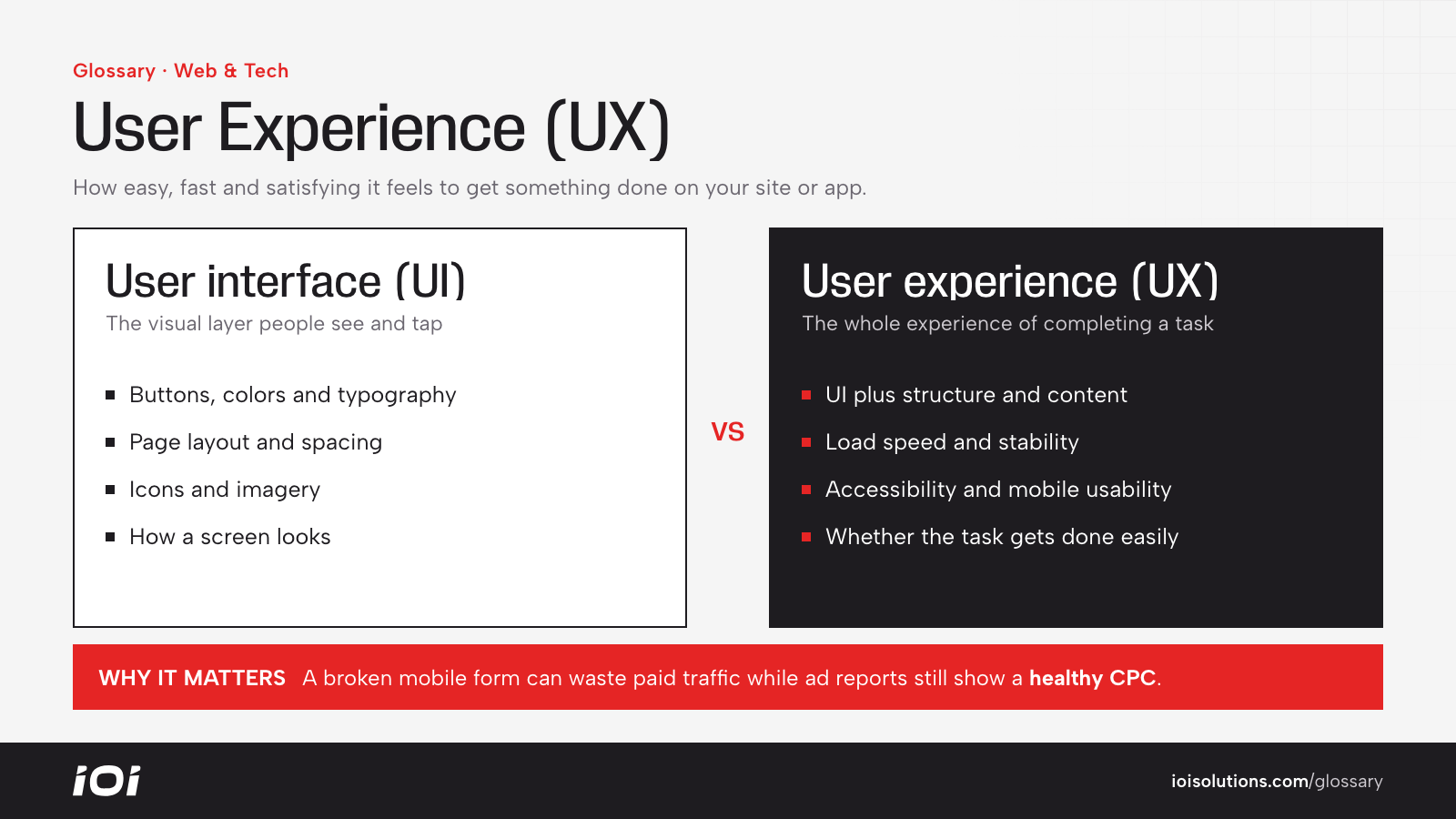
User experience (UX) describes the entire experience a person has when using a product or service, especially a website or app. It covers whether they can find what they need, how fast and reliable things feel, how clear the information is, and how satisfied they are at the end.
UX is related to, but broader than, user interface (UI). UI is the visual layer: buttons, colors, typography and layout. UX includes the UI plus structure, content, performance, accessibility and the steps a person takes to complete a task.
Why User Experience Matters
Every marketing dollar sends people to a digital experience. If that experience is confusing or slow, the money leaks away no matter how good the ads are. Good UX improves results across the funnel:
- Higher conversion rates on lead forms, calls, bookings and checkouts.
- Lower bounce rates and more pages viewed per session.
- Better search performance, since search engines reward pages that load quickly and satisfy visitors.
- Stronger brand perception and more repeat customers.
UX problems are also expensive to ignore because they are invisible in most ad reports. A campaign can show a healthy cost per click while a broken mobile form or a confusing checkout quietly throws away a large share of the traffic it buys.
How User Experience Works
UX work is usually a cycle of research, design, testing and refinement. Key components include:
- Information architecture: How content is organized and labeled so people can find it.
- Interaction design: How elements respond when users click, tap, filter or type.
- Visual hierarchy: Using size, contrast and placement so the most important information and actions stand out.
- Performance: Load speed and stability, measurable with tools like PageSpeed Insights.
- Accessibility: Making sure people with disabilities can use the site, including keyboard navigation, readable contrast and screen reader support.
- Mobile usability: Responsive layouts and tap-friendly controls, since much automotive browsing happens on phones.
Teams evaluate UX with analytics, heat maps, session recordings, usability tests and customer feedback, then improve weak points through redesigns and controlled tests.
User Experience in Automotive Marketing
Automotive sites have specific UX challenges because shoppers handle complex information and high-stakes decisions.
- Dealership websites: Shoppers need fast inventory search, useful filters, clear pricing, plenty of photos, and simple ways to check availability, value a trade or estimate payments. Pop-ups that cover vehicle photos or forms that demand too much information too early frustrate buyers.
- Collision shops: A stressed driver after an accident wants a phone number, location, hours, insurance information and a way to upload photos for an estimate, all visible within seconds on mobile.
- Repair shops: Online booking should show real availability and confirm appointments instantly, not just submit a request into a void.
- Parts ecommerce: A reliable year/make/model selector, clear fitment confirmation and a smooth checkout reduce returns and abandoned carts.
For example, a tire shop might discover through session recordings that mobile visitors abandon the tire size lookup because the dropdowns are hard to use. Replacing them with a simple vehicle selector could recover lost quotes without any extra ad spend.
Best Practices
- Design for mobile first, then enhance for larger screens.
- Make the primary action on each page obvious and easy to reach.
- Keep forms as short as possible and ask only for information you actually use.
- Monitor speed and Core Web Vitals, especially on image-heavy inventory pages.
- Watch real users through session recordings and usability tests instead of relying on internal opinions.
- Test changes before rolling them out site-wide, and measure impact on leads and sales.