
What Is a Pixel?
In marketing, a pixel (also called a tracking pixel or tag) is a piece of code placed on your website that sends information about visitor activity to an advertising or analytics platform. The name comes from early versions that used a tiny, invisible 1×1 image to register a page load. Today most pixels are JavaScript snippets, but the term stuck.
Common examples include the Meta Pixel, the Google tag used by Google Ads and Google Analytics, the TikTok Pixel and the LinkedIn Insight Tag. Each one reports events such as page views, add-to-carts, form submissions and purchases back to its platform.
Why a Pixel Matters
Without a pixel, ad platforms only know that someone clicked an ad. They have no idea whether that person became a lead or customer. A properly installed pixel closes that gap and makes three things possible:
- Measurement: You can see which campaigns, ads and audiences drive conversions.
- Optimization: Platforms use conversion data to find more people likely to take the same action, which is how automated bidding learns.
- Audience building: You can create remarketing lists of past visitors and lookalike audiences based on your best customers.
Poor pixel setup is one of the most common reasons ad accounts underperform. If the platform is optimizing toward the wrong events, or missing events entirely, it cannot find the right people.
How a Pixel Works
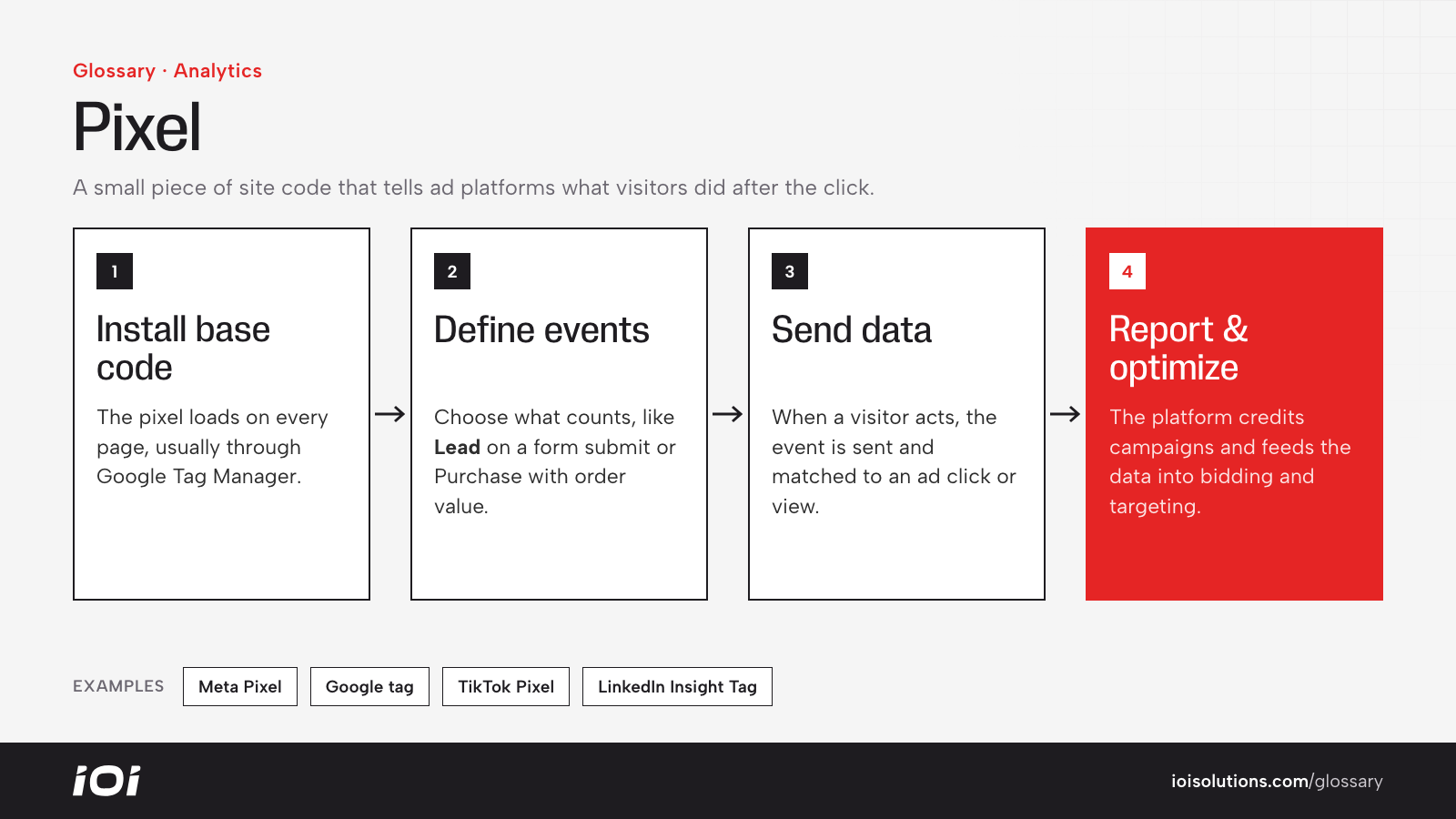
- Install the base code. The pixel script loads on every page, usually through Google Tag Manager or a platform integration.
- Define events. You set which actions count, such as “Lead” when a form is submitted or “Purchase” with an order value when checkout completes.
- Send data. When a visitor takes that action, the pixel sends an event to the ad platform, which matches it to an ad click or view where possible.
- Report and optimize. The platform attributes conversions to campaigns and feeds the data into its bidding and targeting systems.
Browser Pixels and Server-Side Tracking
Browser-based pixels can be blocked by ad blockers, privacy settings and cookie restrictions. To recover lost signal, many advertisers add server-side tracking, such as Meta’s Conversions API or Google’s enhanced conversions, which send events from your server or CRM. Running both together, with deduplication, generally gives the most complete picture.
Pixels in Automotive Marketing
- Dealerships track vehicle detail page views, lead forms, credit applications, trade-in tool usage, chat starts and click-to-call events. Passing vehicle details with each view enables dynamic inventory ads.
- Collision and repair shops track estimate requests, appointment bookings and phone calls, often combining the pixel with call tracking.
- Parts and aftermarket stores track product views, add-to-carts and purchases with order value, which is essential for measuring return on ad spend.
For example, a repair shop running Meta ads might discover its pixel only fires on the homepage. After adding a “Lead” event to the booking confirmation page, Meta can finally optimize toward actual appointments.
Best Practices
- Track meaningful conversions. Optimize toward leads, bookings and sales, not just page views.
- Use a tag manager. Centralize pixels so they are easier to audit and update.
- Add server-side events. Pair browser pixels with conversion APIs to reduce data loss.
- Test after every site change. Use platform debugging tools to confirm events still fire correctly.
- Respect privacy rules. Follow consent requirements and platform policies, and avoid sending sensitive personal information.
- Tag your links too. Combine pixel data with UTM codes so your analytics tool sees the same traffic sources.