
What Is a Chatbot?
A chatbot is a software program that simulates conversation with people, usually through a chat window on a website, a messaging app, SMS or voice. Chatbots answer questions, guide visitors to the right information, collect contact details and book appointments without a human typing each reply.
Chatbots range from simple scripted tools to advanced AI assistants. Older bots follow fixed decision trees with buttons and set answers. Newer bots use natural language processing and large language models to understand free-form questions and respond in natural language, often drawing on a company’s own website content, policies and data.
Why Chatbots Matter
Customers expect fast answers, often outside business hours. Chatbots help by:
- Responding instantly: Visitors get help right away instead of waiting for a callback.
- Capturing after-hours leads: Many shoppers research in the evening, when staff aren’t available.
- Handling repetitive questions: Hours, directions, pricing ranges and basic policies don’t need a person every time.
- Qualifying prospects: Bots can ask a few questions and route serious buyers to the right team.
- Scaling support: One bot can handle many conversations at once.
Chatbots are one of the main tools behind conversational marketing, where businesses engage customers through real-time dialogue instead of static forms.
How Chatbots Work
There are three broad types:
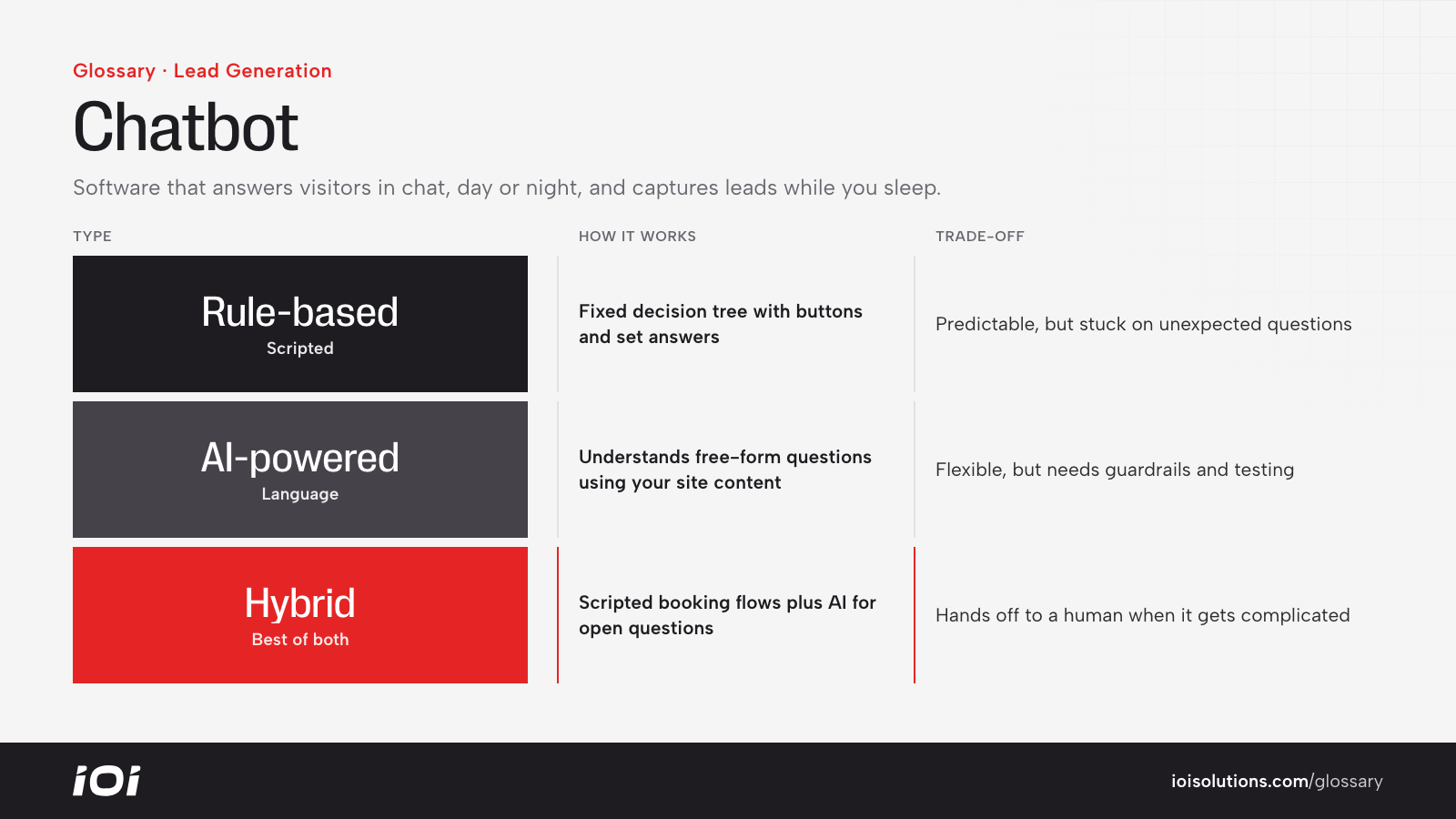
- Rule-based chatbots: Follow a script with predefined buttons and responses. They’re predictable and easy to control, but they struggle with unexpected questions.
- AI-powered chatbots: Interpret what the user types and generate or select a relevant answer. They’re more flexible but need guardrails, accurate source content and testing to avoid wrong answers.
- Hybrid chatbots: Combine scripted flows for key tasks, like booking, with AI for open questions, and hand off to a human when needed.
Most business chatbots connect to other systems, such as a CRM, scheduling tool or inventory database, so they can create leads, check availability or pull up product details. Clear handoff rules matter: when a conversation gets complicated or the customer asks for a person, the bot should route it to staff quickly.
Chatbots in Automotive Marketing
- Dealerships: A chatbot can answer whether a specific vehicle is still available, collect trade-in details, start a credit pre-qualification flow or book a test drive, then pass the lead to the BDC or sales team.
- Service departments and repair shops: Bots can share hours, explain common services, provide price ranges where appropriate and schedule appointments.
- Collision shops: A chatbot can explain the claims process, collect accident photos and insurance information, and set up an estimate appointment.
- Parts and accessories stores: A bot can ask for year, make and model to help shoppers find parts that fit and answer shipping or return questions.
- Detailers and PPF shops: Bots can walk visitors through package options and collect vehicle details for a quote.
For example, a tire shop’s chatbot might collect the customer’s vehicle and tire size at 10 p.m., suggest a few options and book a morning appointment, so the lead doesn’t go to a competitor overnight.
Best Practices
- Be clear it’s a bot. Don’t pretend to be human. Transparency builds trust.
- Keep answers accurate. Feed the bot approved information, and review conversations for errors, especially on pricing, financing and warranties.
- Make handoff easy. Offer a quick path to a real person by phone, text or live chat.
- Focus on key jobs. Design the bot around the actions that matter most, like booking, quotes and inventory questions.
- Don’t over-interrupt. Aggressive pop-ups can annoy visitors and hurt the experience on mobile.
- Measure outcomes. Track conversations started, leads captured, appointments booked and sales influenced, not just chat volume.