
What Is an XML Sitemap?
An XML sitemap is a structured file, usually found at a location like yoursite.com/sitemap.xml, that lists the pages on your website you want search engines to find and index. Each entry contains a URL and can include optional details such as when the page was last modified.
XML sitemaps are written for search engine crawlers, not people. They are different from an HTML sitemap, which is a regular page that helps visitors navigate. Large sites often use a sitemap index file that points to several smaller sitemaps, for example one for pages, one for blog posts and one for products.
Why an XML Sitemap Matters
Search engines mainly find pages by following links. A sitemap gives them a direct list, which helps when:
- Your site is large, such as a dealer inventory or parts catalog with thousands of pages.
- Content changes often, like vehicles that sell and new units that arrive daily.
- Some pages have few internal links, making them hard to discover by crawling alone.
- Your site is new and has few external links pointing to it.
A sitemap does not guarantee indexing or rankings. It is a strong hint about which pages you consider important, and it helps search engines spot new and updated content faster.
How an XML Sitemap Works
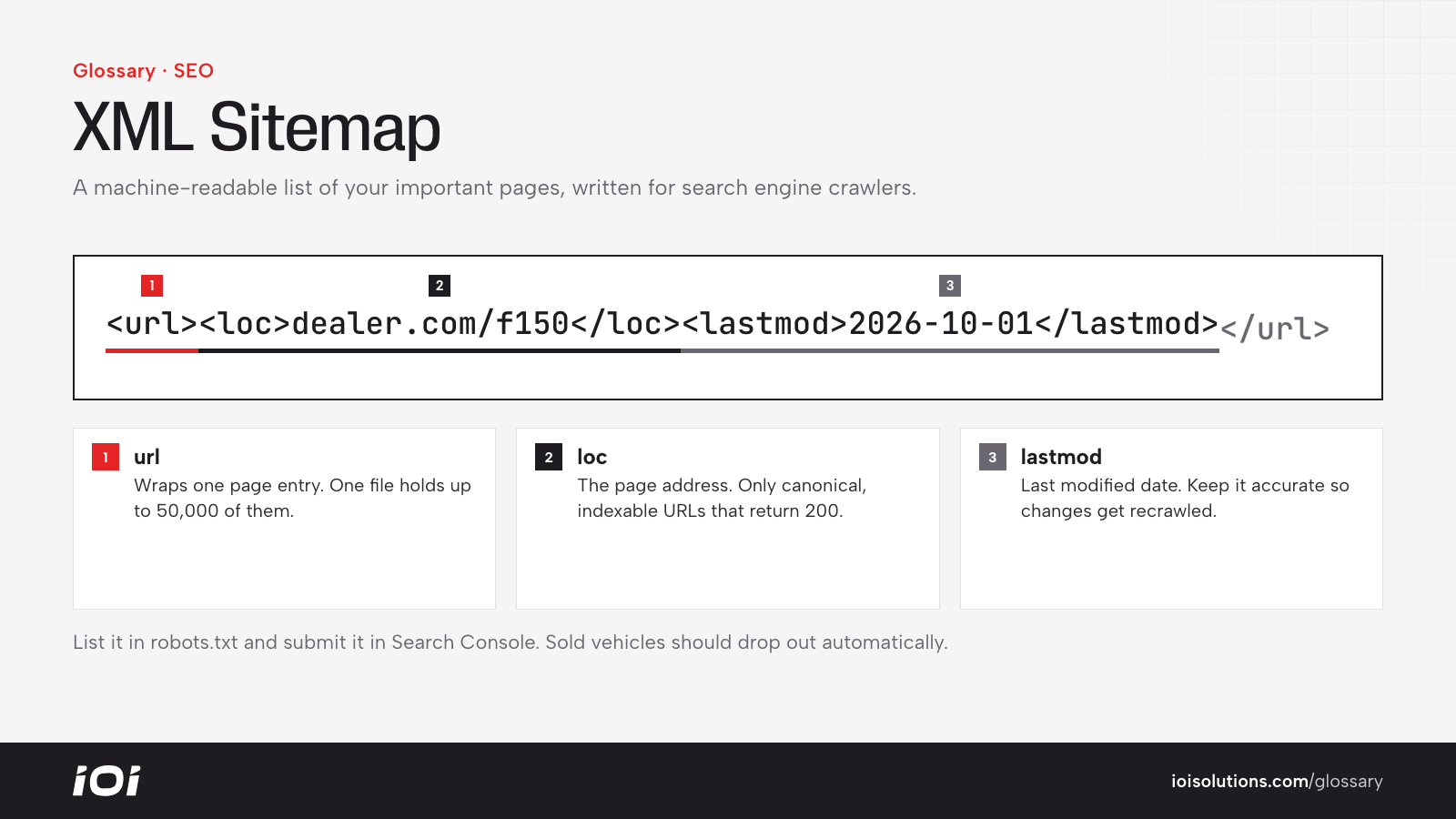
A basic sitemap follows the sitemaps protocol supported by major search engines. Each page is wrapped in a url element containing a loc element (the page address) and, optionally, a lastmod element (the last modified date). Search engines have generally said they rely on an accurate lastmod value and largely ignore older optional fields like priority and change frequency.
Key technical points:
- A single sitemap file is limited to 50,000 URLs and 50MB uncompressed; larger sites split into multiple files listed in a sitemap index.
- Only include canonical, indexable URLs that return a 200 status. Leave out redirects, error pages, duplicates and pages blocked by noindex.
- Reference the sitemap location in your robots.txt file and submit it in Google Search Console and Bing Webmaster Tools.
- Most content management systems and SEO plugins generate and update sitemaps automatically.
Specialized sitemaps also exist for images, videos and news content.
XML Sitemaps in Automotive Marketing
Automotive sites often have unusual sitemap challenges:
- Dealership websites list vehicles that may sell within days. Sitemaps should update automatically so new units get discovered quickly and sold units drop out rather than lingering as errors.
- Parts and aftermarket stores can generate huge numbers of filter and fitment combinations. Only the valuable, canonical category and product pages belong in the sitemap, not every filtered variation, which also supports good ecommerce SEO.
- Multi-location repair and collision groups should make sure every location and service page is included, especially new ones.
- Directories and marketplaces with many listing pages benefit from splitting sitemaps by type or region to monitor indexing for each segment.
For example, a dealer whose sitemap still lists hundreds of sold vehicles may see crawl reports full of errors, while newly arrived inventory takes longer to appear in search.
Best Practices
- Automate updates. Make sure your platform regenerates the sitemap whenever pages are added or removed.
- Keep it clean. List only canonical, indexable pages that return a 200 status.
- Use accurate lastmod dates. Update them only when content meaningfully changes.
- Split large sites into logical sitemaps so you can track indexing by section.
- Submit and monitor in Search Console, reviewing coverage reports for pages that are excluded or erroring.
- Do not rely on it alone. Strong internal linking is still the main way search engines understand your site structure.